Server Hosting Pricing and Specifications
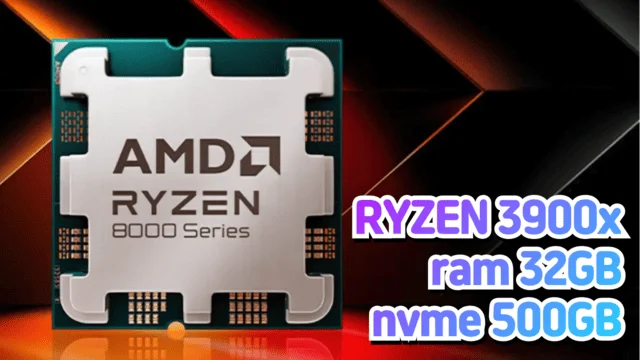
Product name: AMD RYZEN 9 9900x / 12 cores 24 threads (boost clock 5.6GHz), RAM 32GB, NVME 1TB
Dedicated server
Setup time: approximately 3 hours
Setup fee: Free
Contract period: No commitment
Network line: 1Gbps
Included traffic allowance: 5000GB / overage charged at 40 KRW per GB ( 0.027 USD per GB )
Main uses: multi-purpose server for business servers, game servers, development servers, and more
If you have any further questions, please contact us via the 1:1 inquiry at the top right.
What Is a Bare-Metal Dedicated Server? (How It Differs from a Cloud Server)
Server hosting at MyIP IDC is not a virtualized cloud server — it is a Bare-Metal dedicated server: an entire physical server provided exclusively to you. Every hardware resource — CPU, RAM, NVMe, and network — is yours alone, never shared with other customers.
Advantages of a Bare Metal Dedicated Server
100% guaranteed performance — With no Hypervisor (virtualization) overhead, you get the physical server's full CPU and disk I/O performance as-is. There is no Noisy Neighbor effect where another customer's workload slows down your server.
Predictable flat monthly pricing — Unlike the cloud, where hourly billing and metered traffic make costs skyrocket, a flat monthly fee keeps your spending constant. It is several times cheaper than a cloud server with the same specs, and a generous base traffic allowance is included for free.
Exclusive resources and security — As a physically isolated dedicated machine, it is free from the security risks of multi-tenant virtualized environments and makes meeting compliance requirements easier.
Freedom to configure — Install any OS you like (Windows or Linux), or even a Hypervisor such as ESXi or Proxmox to build your own virtualization environment.
Bare Metal Server vs Cloud Server Comparison
| Category | Bare-Metal Dedicated Server (MyIP) | Cloud Server |
| Resource usage | Exclusive use of one physical server | Hardware shared by multiple customers |
| Performance | No virtualization overhead, no performance fluctuation | Performance varies with virtualization loss and neighbor load |
| Pricing | Fixed monthly fee, free setup | Hard to predict due to hourly billing + metered traffic |
| Traffic cost | Base traffic included free, low-cost overage | Per-GB metered billing, expensive at high traffic volumes |
| Customization | Free choice of OS, Hypervisor, and hardware configuration | Limited to the instance types on offer |
For workloads with sustained heavy load and massive traffic — game servers, AI training, high-traffic services — a Bare-Metal dedicated server beats the cloud in both performance and cost.
What Is Server Hosting?
Server hosting is a service that lets you lease a dedicated server and operate it independently.
It provides a stable environment for running a wide range of services, including websites, applications, databases, and AI servers.
Because it runs inside an IDC (Internet Data Center) equipped with high-performance hardware and network infrastructure, you can count on excellent reliability and security.
Key Benefits of Server Hosting
Reliability: Strict data center security and power-outage protection systems keep your services running smoothly.
Scalability: Resources can be expanded or upgraded as needed, giving you the flexibility to respond quickly.
Expert Management: The IDC's professional operations team handles hardware maintenance, so you can focus on your business.
How to Choose Server Hosting
Consider the following factors when choosing server hosting:
Performance: Carefully check hardware specifications such as CPU, RAM, storage, and network bandwidth.
Service Support: Evaluate how fast and knowledgeable the technical support service is.
Cost: Choose the option that delivers the best value for money within your budget.
Reputation: Check the provider's credibility through reviews and customer experiences.
How to Use Server Hosting Cost-Effectively
Analyze actual usage: Identify exactly what resources your business needs to cut unnecessary costs.
Take advantage of long-term contracts: Long-term contracts can earn you additional discounts.
Use monitoring tools: Optimize server performance through real-time monitoring.
Tips for Choosing a Server Hosting Provider
24/7 technical support: Choose a provider that offers technical support so issues can be resolved at any time.
Review the terms of service: Read the server usage policies and contract terms carefully.
Extra fees: Make sure there are no hidden additional charges.
How to Cancel or Terminate Server Hosting
Server hosting is typically cancelled at the end of the contract period.
The cancellation process is as follows:
Submit a cancellation request through customer support.
Back up and delete your data.
Confirm that the cancellation is complete.
Web Hosting vs. Server Hosting vs. Cloud (Virtual Servers)
Web hosting: Multiple users share a single server, keeping costs low.
Server hosting: You use a dedicated server exclusively, with high performance and reliability.
Cloud: Affordable pricing with flexibly scalable virtualized resources.
Why Choose MyIP IDC Server Hosting?
MyIP IDC is loved by many users for its outstanding network environment and reasonable pricing.
With a wide range of service options and 24-hour technical support, it keeps customer satisfaction high while delivering excellent value and an optimized server environment.
If you want a stable and efficient IT environment, check out MyIP IDC today.
The best choice will lead to your business success!
Recommended Server Hosting
The MyIP data center provides a stable and efficient IT environment.
Building a stable and efficient IT environment is essential for running a business today.
Among the options available, the services offered by MyIP IDC deliver outstanding performance and value, making them popular choices for many companies.
We recommend purchasing these cost-effective services through MyIP.